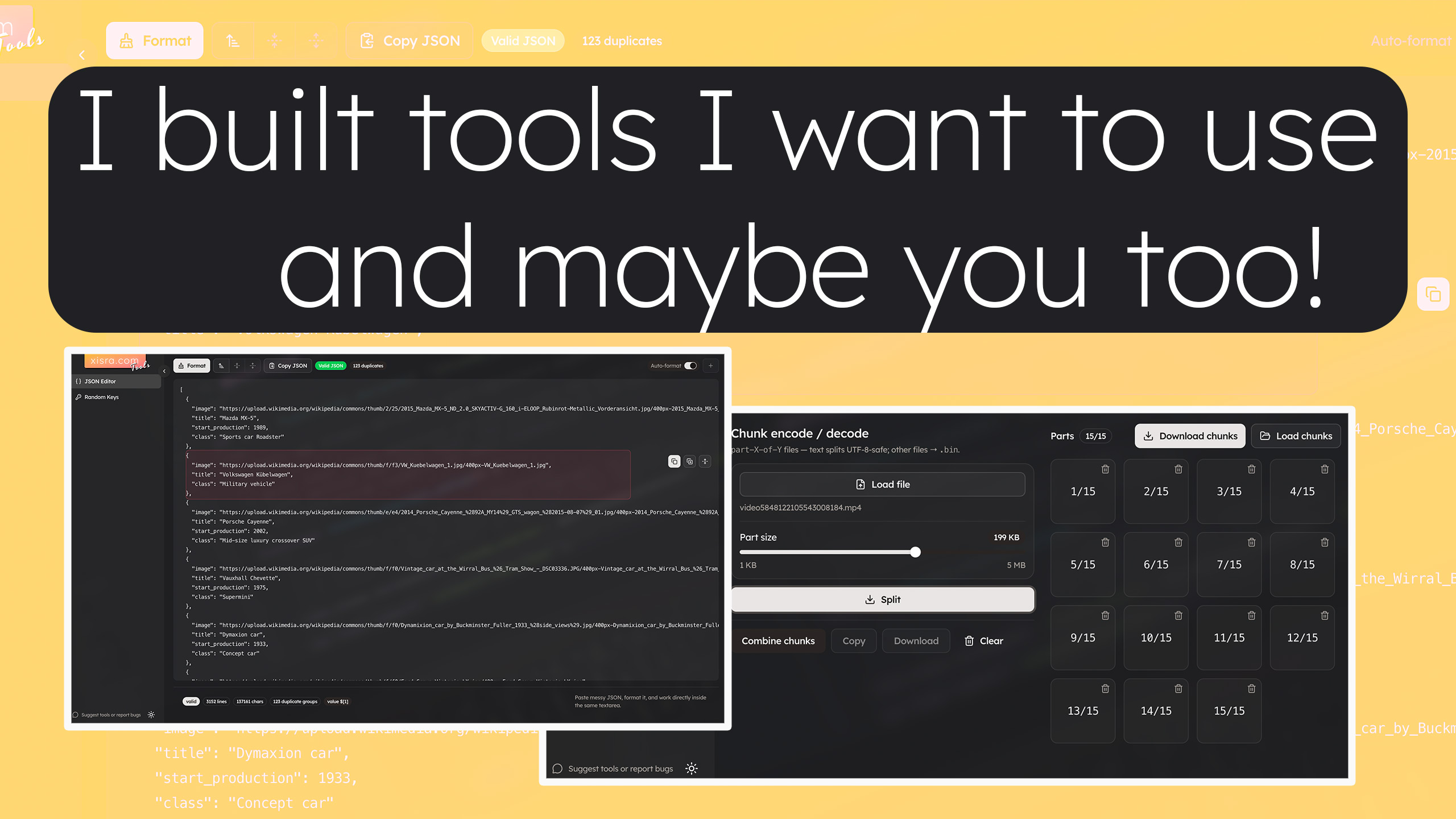
I keep reaching for the same small utilities: fix a JSON blob, encode something for a URL, split a fat file so Slack stops complaining, grab a password or UUID without sending it through a sketchy tab farm. So I folded them into one place on the site.
Start here: https://xisra.com/tools — sidebar lists everything; you can collapse it if you want more room.
JSON Editor
https://xisra.com/tools/json-editor
- What it does: Edit JSON as text, poke around in a tree-style workspace, and see when the document is invalid before you waste a deploy.
- How I use it: Paste an API response or config, format it, trim fields, copy the result. Save named snippets (with tags) when I know I’ll need the same shape again — drafts stick around in the browser after refresh.
- Common uses: Debugging payloads, cleaning up fixtures, comparing structures, keeping a scratch JSON pad that doesn’t live in a repo.
Converter
Two views under the same tool:
Encode / decode
https://xisra.com/tools/converter
- What it does: Switch between Base64 and URL encoding. Encode or decode what’s in the main text area, copy the result, and optionally drop an image file (or drag it in) to turn it into a Base64 data URL for emails, inline HTML, or quick tests.
- How I use it: Flip mode in the header, run encode/decode, copy. If I pasted a
data:...;base64,...URL, decode still behaves sensibly for the payload part. - Common uses: Query strings, safe text for transports, embedding tiny images, unpacking something a log or error message dumped as Base64.
Chunk encode / decode
https://xisra.com/tools/converter/chunks
- What it does: Split a large file into downloadable part 1 of N slices (text files get split on UTF-8 boundaries so you don’t tear multibyte characters; binary is split by raw size). Or load many parts at once and merge them back, with optional preview when the merged bytes look like an image.
- How I use it: Pick a chunk size (slider), split, download the parts; on the other side, select all part files, merge, download the restored file.
- Common uses: Getting under upload limits, sharing a blob through channels that cap attachment size, sanity-checking that chunked uploads/downloads reassemble cleanly.
Random Keys
All categories on one page
https://xisra.com/tools/randomkeys
- What it does: Generates batches of memorable word-style strings, strong / Fort Knox passwords, alphanumeric strings, UUIDs, and API-key-shaped strings. Click a row to copy, or copy a whole category. Regenerate spins a fresh set; with focus outside any field, R triggers regenerate too.
- How I use it: Open once, copy what I need, close the tab.
- Common uses: Local dev secrets, test users, IDs for fixtures, placeholder keys in docs (never production secrets you care about unless you know what you’re doing).
Password generator
https://xisra.com/tools/randomkeys/password
- What it does: Focused password UI with length and character-class toggles, plus optional checks against known breached passwords (so you get a nudge if you picked something that’s shown up in public dumps).
- Common uses: Human-facing passwords, demo accounts, rotating a login you’re about to paste into a password manager.
JWT secret helper
https://xisra.com/tools/randomkeys/jwt-secret
- What it does: Generates a secret sized for signing JWTs, shows a ready-to-paste env-style line, and offers short usage snippets for a few languages so you’re not guessing import syntax at 1am.
- Common uses: New service bootstrap, rotating signing keys in dev/staging, copying the exact env var shape your stack expects.
That’s the lineup for now. If https://xisra.com/tools saves you even one bad tab spiral, it did its job.